Expedia Fax Services, shortened as ExpFax, supports Email-to-Fax, Web Fax, ATA fax adapters for traditional fax machines, HTTP/API integrations, and the powerful ExpFax Command Center — all backed by Expedia Telecom.
Send faxes from your email workflow.
Send and track faxes from the browser.
Keep existing fax machines connected.
Integrate faxing into business systems.
A complete ExpFax platform for organizations that still rely on fax every day: healthcare, admissions, billing offices, municipalities, and busy front desks.
Designed for high-volume, business-critical fax workflows where visibility and reliability matter.
A web-based workspace providing visibility into fax activity, contacts, cover pages, delivery status, and account management.
Send faxes directly from email while keeping routing, sender access, and delivery visibility under control.
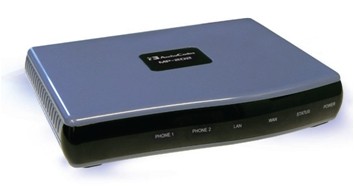
Keep supported fax machines and multifunction printers connected with ExpFax-compatible ATA devices.
Connect faxing to existing business systems and workflows where supported.
Need help with setup, fax routing, or user access? Call (212) 627-1300 or email [email protected].
ExpFax supports ATA fax adapters, allowing supported traditional fax machines and multifunction printers to continue working with modern IP-based fax services.
Keep familiar fax workflows where they still make sense.
Combine device faxing with the visibility of the ExpFax platform.
Support users who fax from machines, email, browser, or API.
Backed by Expedia Telecom’s telecom and fax experience.
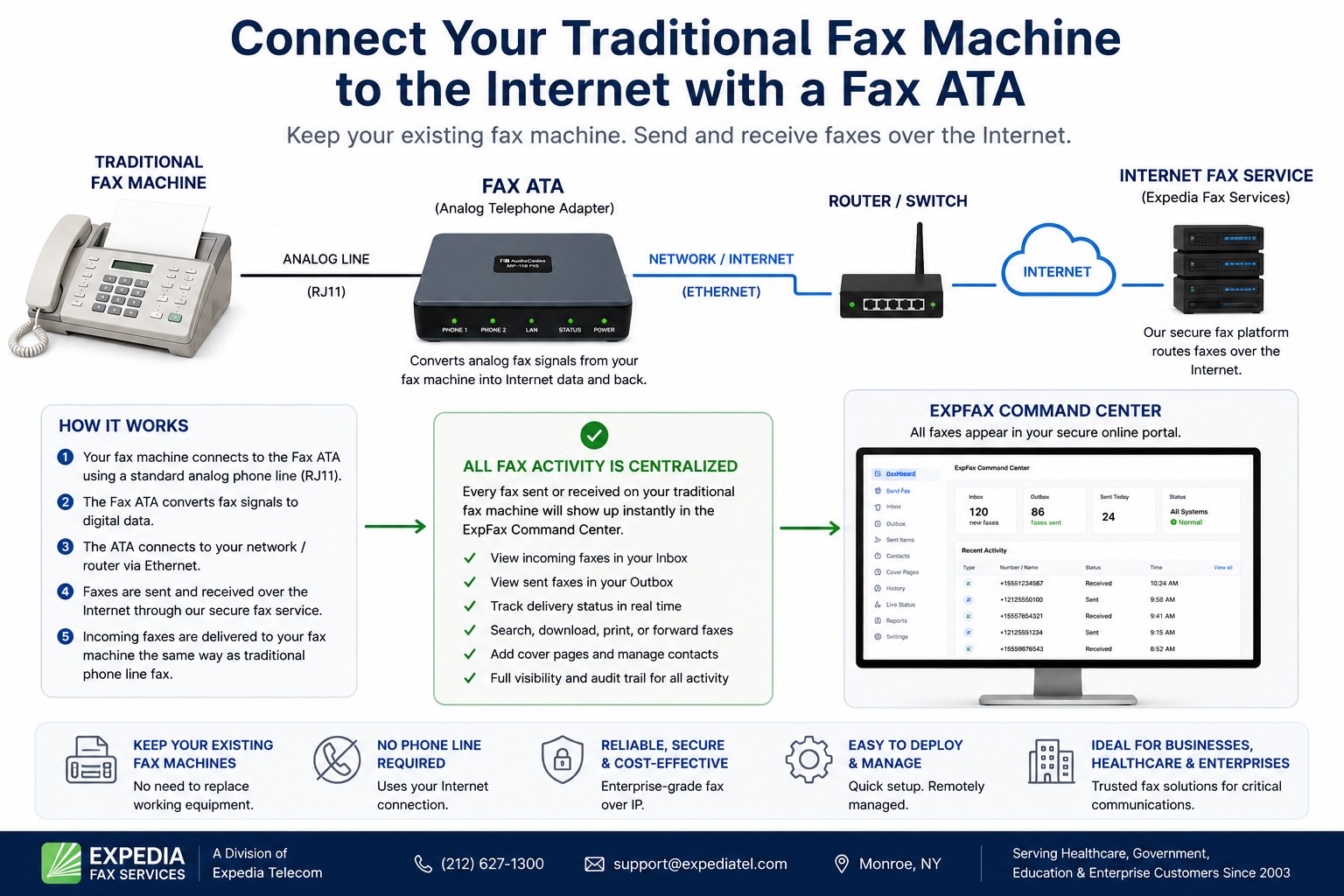
With Expedia Fax Services, many organizations can keep using their existing analog fax machine or multifunction printer. A standard phone cord connects the fax machine to a Fax ATA adapter, and the Fax ATA connects by Ethernet to your router, switch, or network. The fax is then sent and received through the ExpFax internet fax service, while fax activity also appears in the ExpFax Command Center for visibility, inbox/outbox tracking, delivery status, history, and reporting.
Your regular fax machine plugs into the Fax ATA using a standard analog phone cable, also known as an RJ11 line.
The Fax ATA connects to your router, switch, or LAN using Ethernet. No traditional phone company fax line is required.
ExpFax carries the fax over the internet fax service while your staff continues using the fax machine. Sent and received fax activity also appears in the ExpFax Command Center inbox, outbox, history, and status views.
If you are searching for how to connect an analog fax machine to internet service, how to use a regular fax machine without a phone line, or how to hook up a fax machine to an internet fax line, Expedia Fax Services can help. We support business fax workflows using ATA fax adapters, Email-to-Fax, Web Fax, and HTTP/API integrations. Faxes sent or received from a traditional fax machine through an ExpFax ATA can also be tracked in the ExpFax Command Center, giving your team one secure place for inbox, outbox, delivery status, history, and auditing.
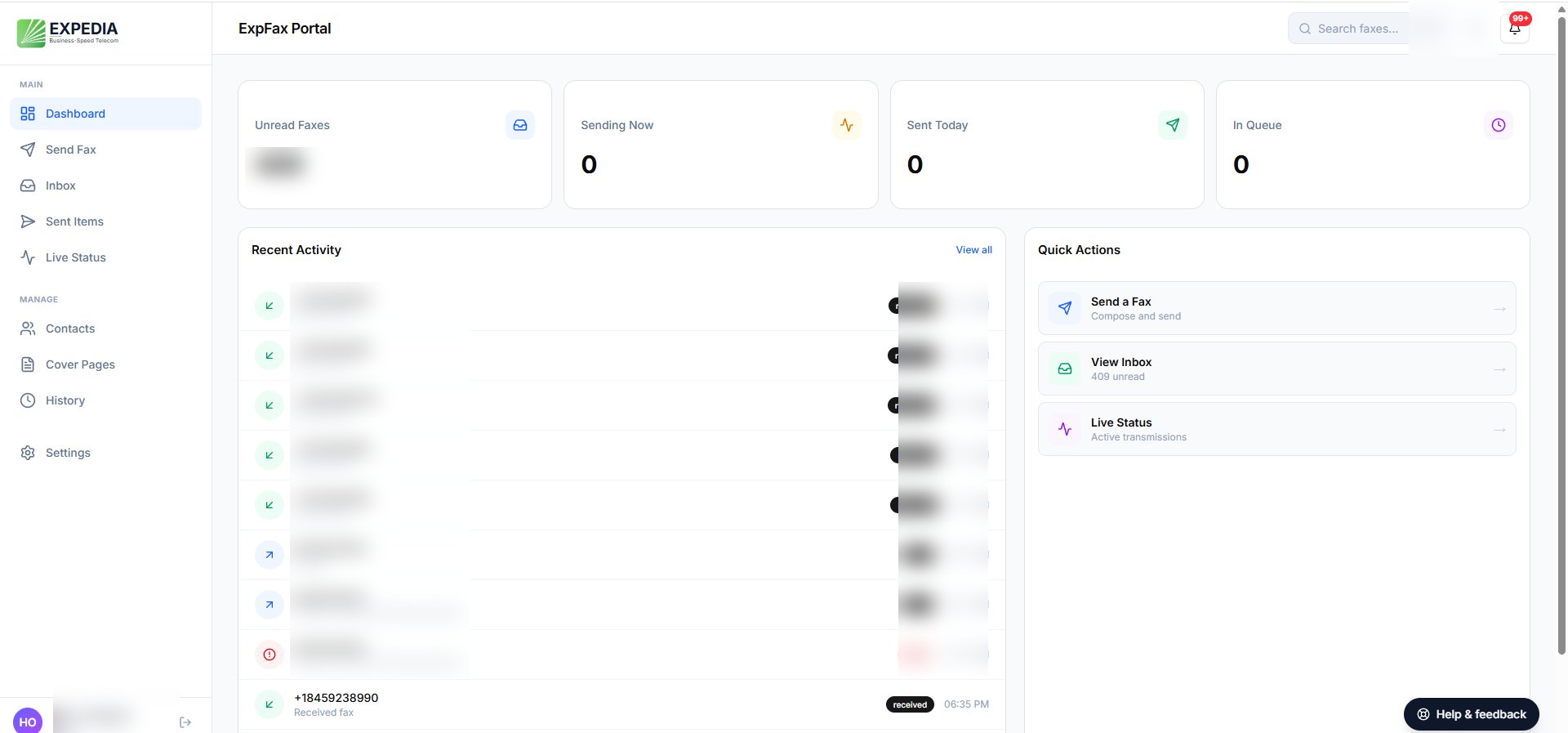
The ExpFax Command Center gives teams one place to monitor incoming and outgoing fax activity, search history, manage contacts and cover pages, and track delivery status.
Security and compliance statements should be finalized based on your service configuration and customer requirements.
Common questions from businesses replacing analog fax lines.
In many cases, yes. A Fax ATA adapter connects your traditional fax machine to your network so you can send and receive faxes through an internet-based fax service instead of a dedicated analog phone line.
The fax machine typically connects to the Fax ATA using a standard RJ11 analog phone cord. The Fax ATA then connects to the router or network switch using Ethernet.
A traditional phone company fax line is not always required. ExpFax can provide a modern fax service that works through the internet, with options for fax machines, email, browser-based faxing, and integrations.
Yes. The ExpFax Command Center allows users to send faxes, view inbound and outbound fax activity, manage contacts and cover pages, and track fax delivery status from a web browser.
Questions, pricing, ATA fax adapters, HTTP/API integrations, or a quick demo? Call (212) 627-1300 or email [email protected].